We are excited to announce that enrollment for the upcoming term is officially open! Whether you are a returning student or joining our academic community for the first time, we are ready to welcome you to the VCI campus.
To help you navigate your registration smoothly, we have provided an updated step-by-step guide below. Please take a moment to review the process to ensure a hassle-free enrollment experience:
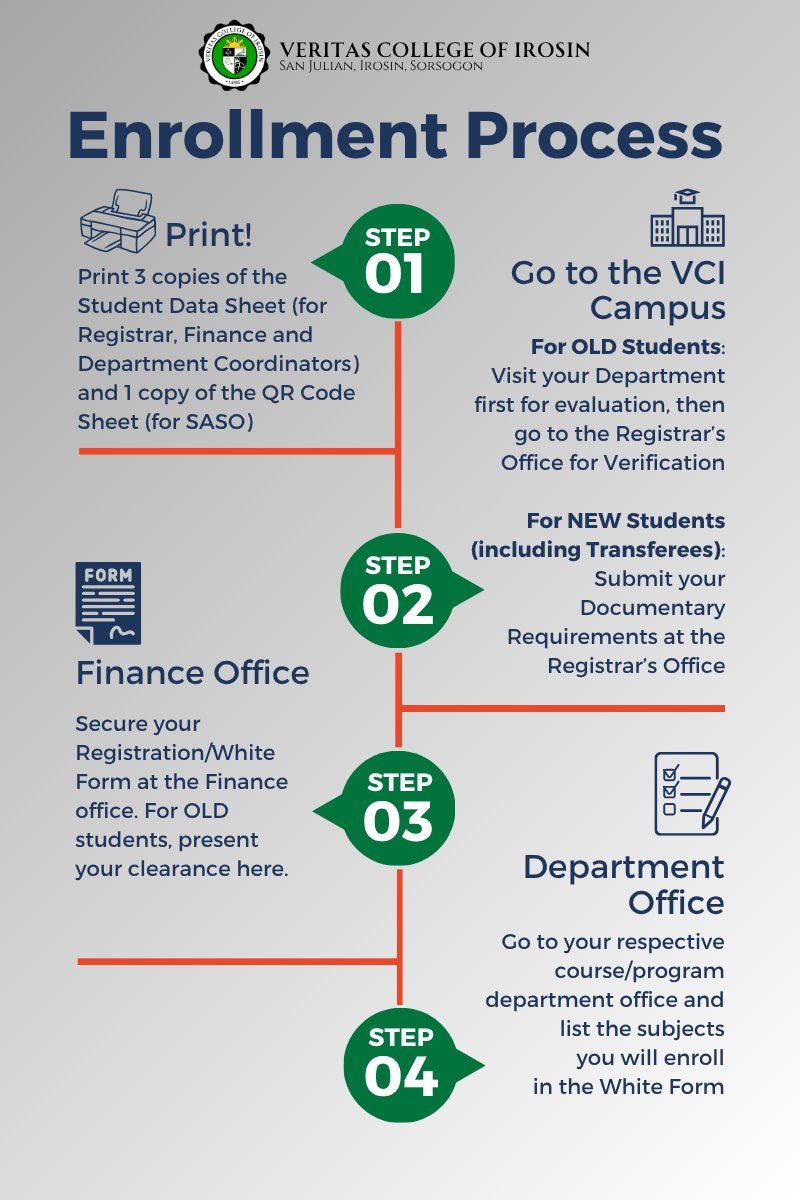
Step 01: Fill up your data sheet.
Print your Student Data Sheets and visit the VCI Campus for evaluation and verification.
Step 02: New students submit documentary requirements at the Registrar’s Office / Old students may visit their department for evaluation before going to the Registrar for verification.
Step 03: Secure your Registration Form at the Finance Office.
Step 04: Visit the Department Office to list your subjects.
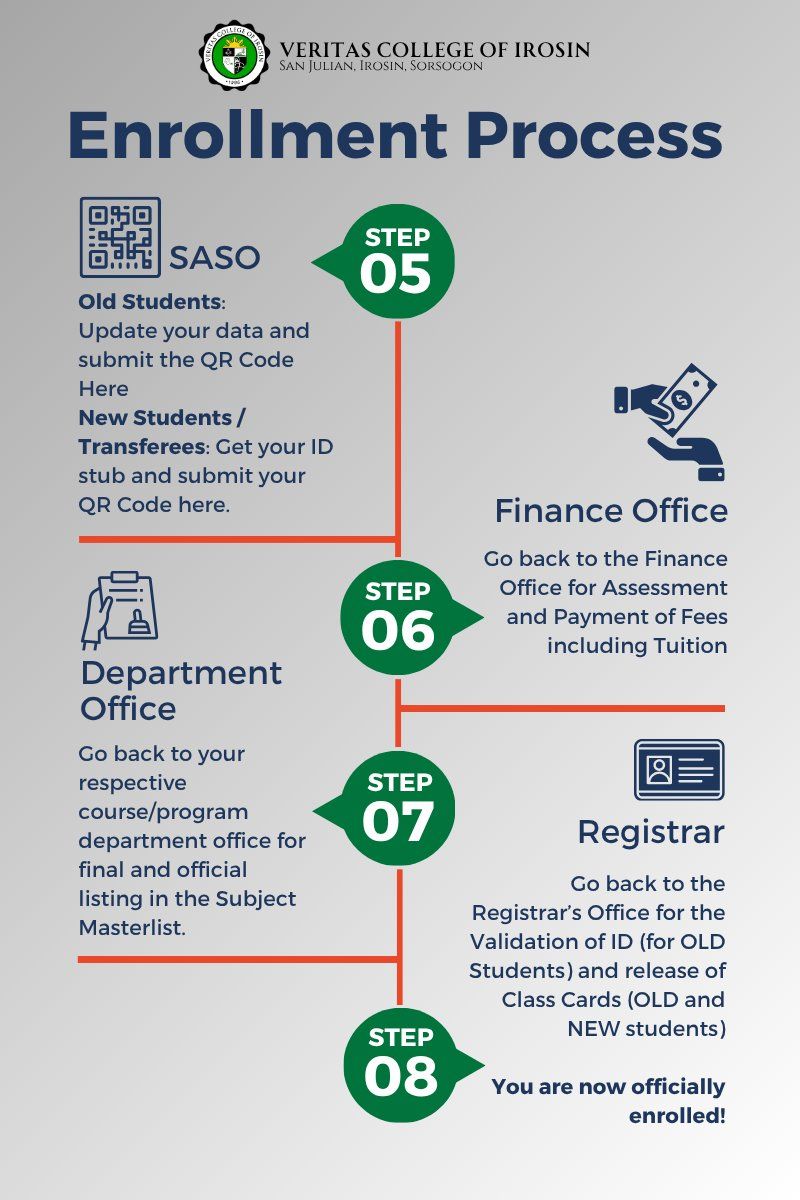
Step 05: Proceed to SASO to update your data and submit your QR code. New students will also receive their ID stubs here.
Step 06: Return to the Finance Office for assessment and payment of fees.
Step 07: Visit the Department Office for final listing in the Subject Master list.
Step 08: Finalize your enrollment at the Registrar’s Office for ID validation and class cards.
Refer to the attached images for a visual breakdown of these steps.
We look forward to seeing you on campus!
#veritasvosliberabit
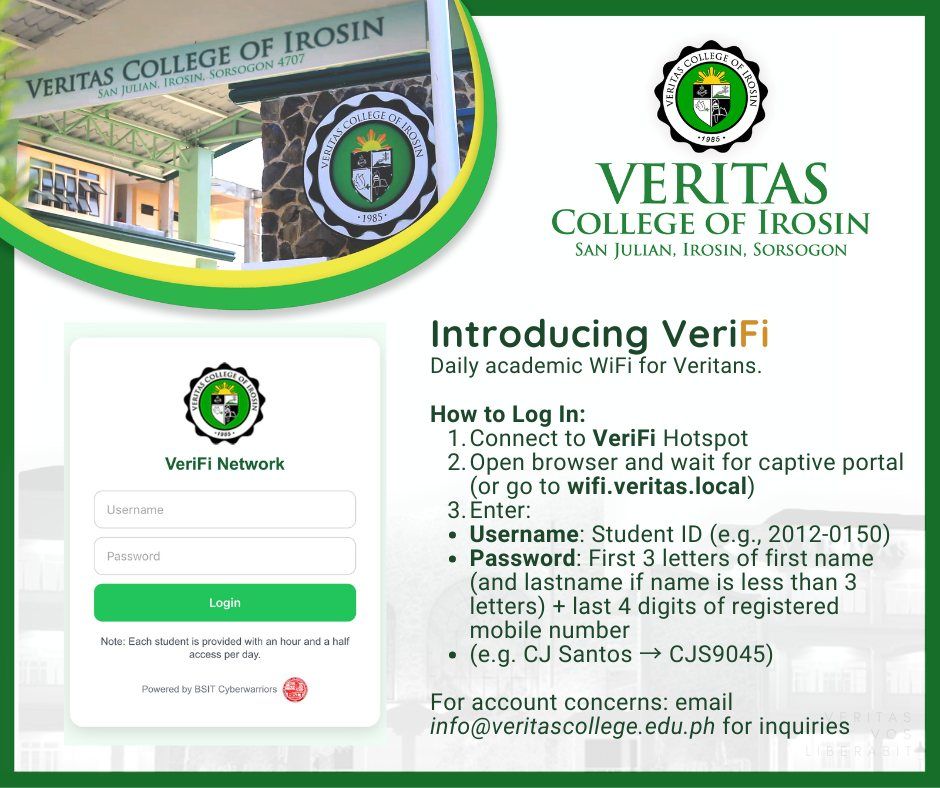
We are now conducting a Dry Run of VeriFi, the official Student WiFi of Veritas College of Irosin.
VeriFi (Veritas + WiFi) is designed for quick academic use, such as Google searches, checking references, accessing LMS, viewing school announcements, and other essential online academic tasks. This initiative is being rolled out in response to a request from the Veritas Student Council to help improve student access to essential online resources on campus.
Access Points are currently available at Fr. Escanilla Hall and the Sepak Takraw Court, with additional Access Points to be installed in other areas of the campus soon.
How to Connect
1. Connect to the WiFi hotspot: VeriFi
2. Wait for the captive portal to appear.
If it does not appear automatically, open your browser and go to: wifi.veritas.local
3. Log in using:
Username: Your Student ID Number (e.g., 2012-0150)
Password: First THREE letters of your first name (If your first name has only two letters, use the next letter from your surname)
then the LAST FOUR DIGITS of your registered cellphone number
Examples:
CJ Santos → CJS9045
Martha Gonzaga → MAR8780
Access Limits
- 1 hour and 30 minutes per day (resets daily)
If you are unable to connect, the network may already be at full capacity. Please wait for an available slot.
𝗡𝗲𝗲𝗱 𝗺𝗼𝗿𝗲 𝘁𝗶𝗺𝗲 𝗼𝗿 𝗰𝗼𝗺𝗽𝘂𝘁𝗶𝗻𝗴 𝗽𝗼𝘄𝗲𝗿? Visit the 𝗜𝗻𝘁𝗲𝗿𝗻𝗲𝘁 𝗥𝗼𝗼𝗺 beside the VCI Library to surf for free (subject to usage limits).
For inquiries or assistance (e.g., if you cannot access your account), please email: info@veritascollege.edu.ph
We appreciate your cooperation as we test and improve this service.